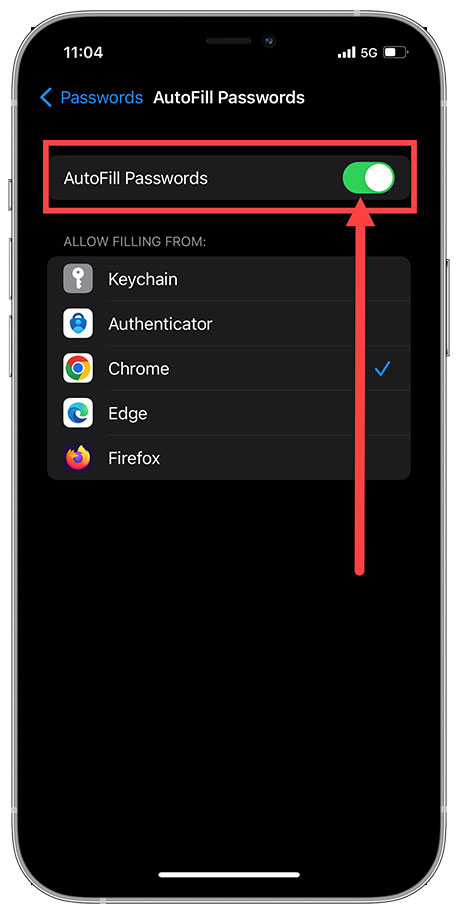
If the yourHD App is automatically logging in with the iPhone devices saved Passwords, turn the Auto Fill Password Setting Off.
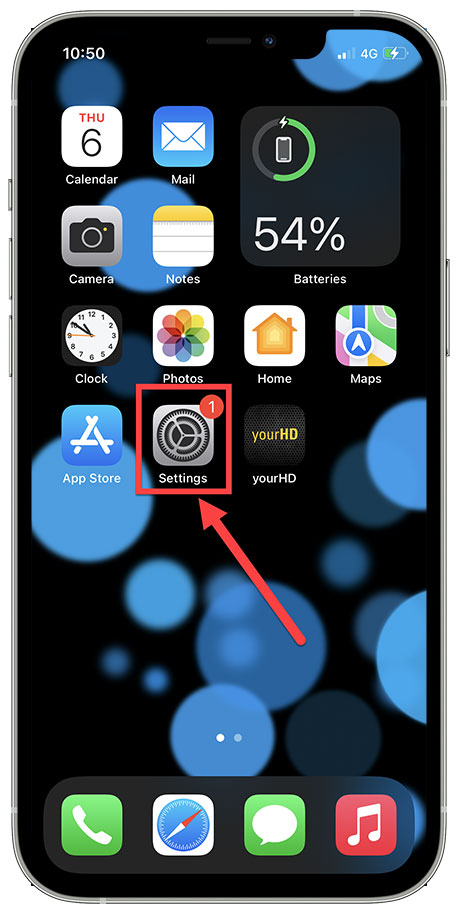
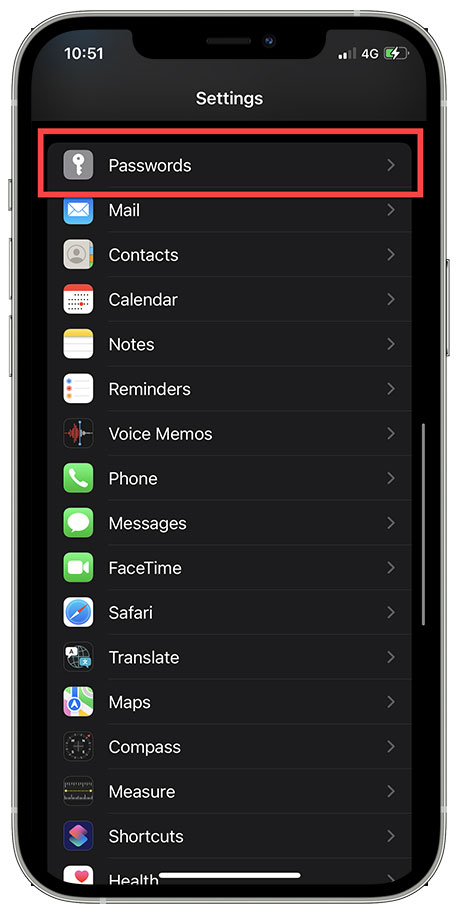
1. Click on Settings, scroll down and click on Passwords.
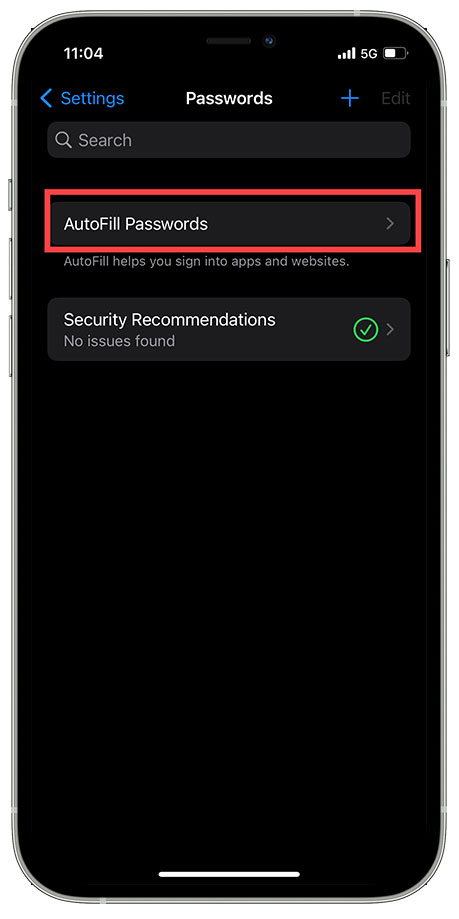
2. Click on Auto Fill Passwords & Switch Toggle to Off to disable
Comments
Article is closed for comments.