Clearing Google Chrome Internet Browser Cache
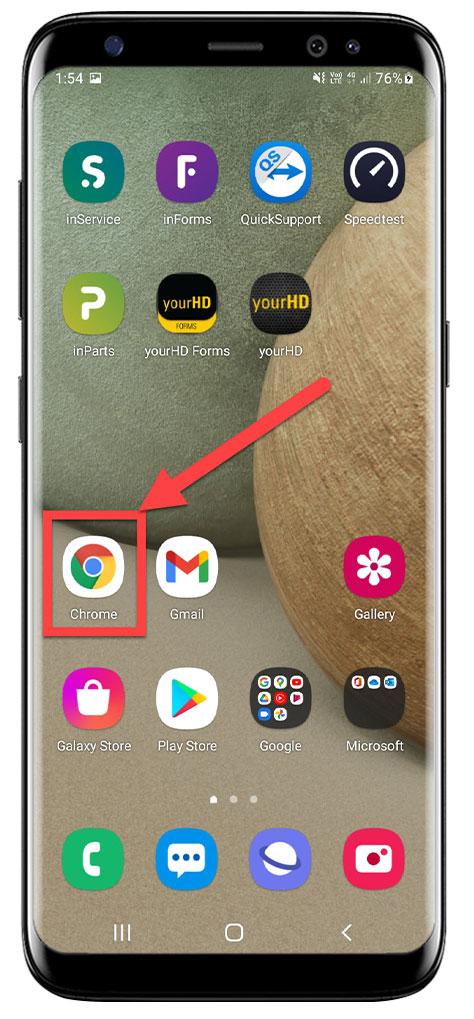
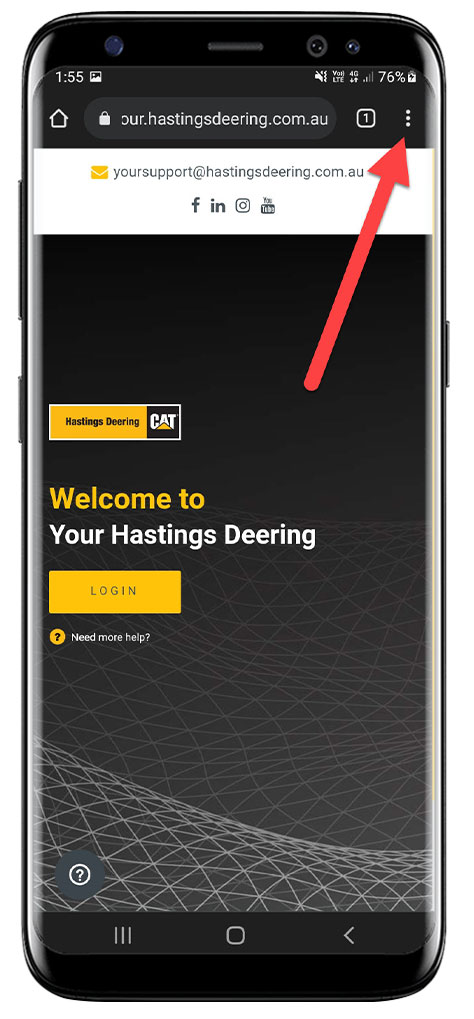
1. Open up Google Chrome Browser on Mobile device & Click on the Menu (3 Vertical Dots)
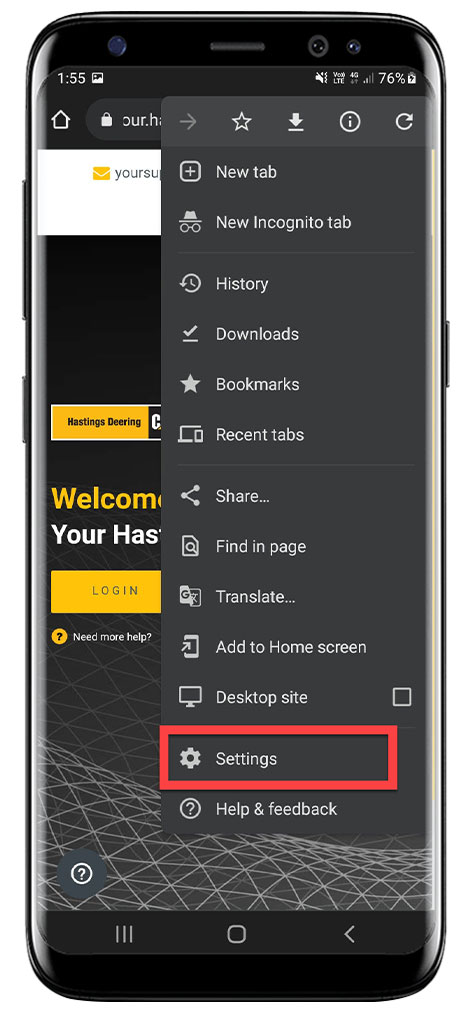
2. Click on Settings then Privacy & Security

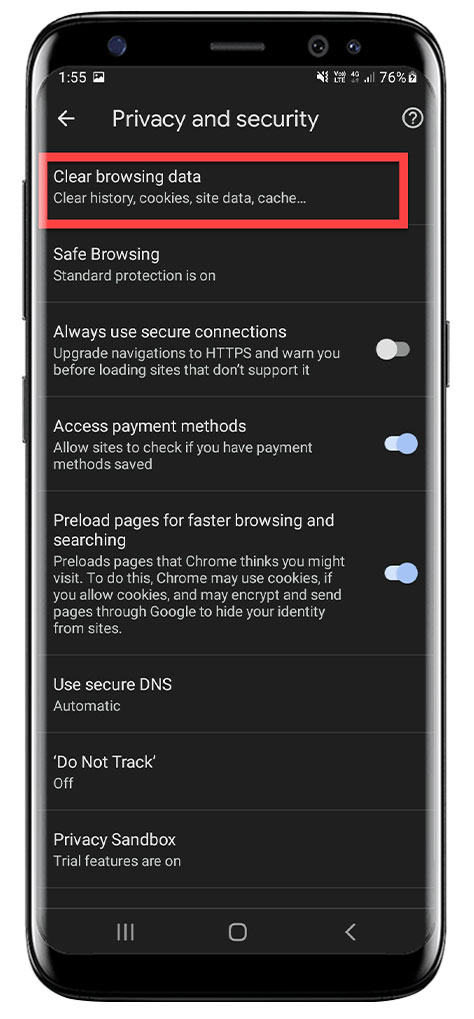
3. Click on Clear browsing data & Select the Advanced Tab, Select the All time range & Select all checkboxes, then Click on Clear Data

Comments
Article is closed for comments.