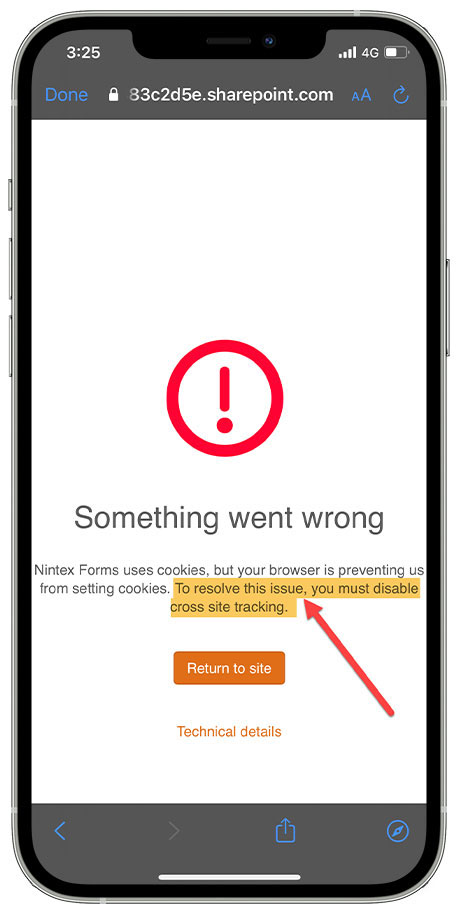
iPhone users receiving an Error accessing Pages or Content within the yourHD mobile App, may need to change the settings to Prevent Cross-Site Tracking to allow access
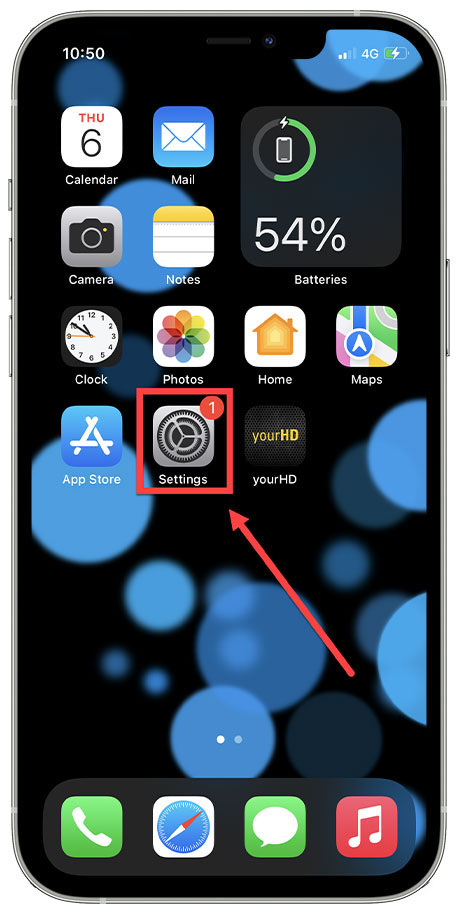
1. On your iPhone, Click on Settings Menu
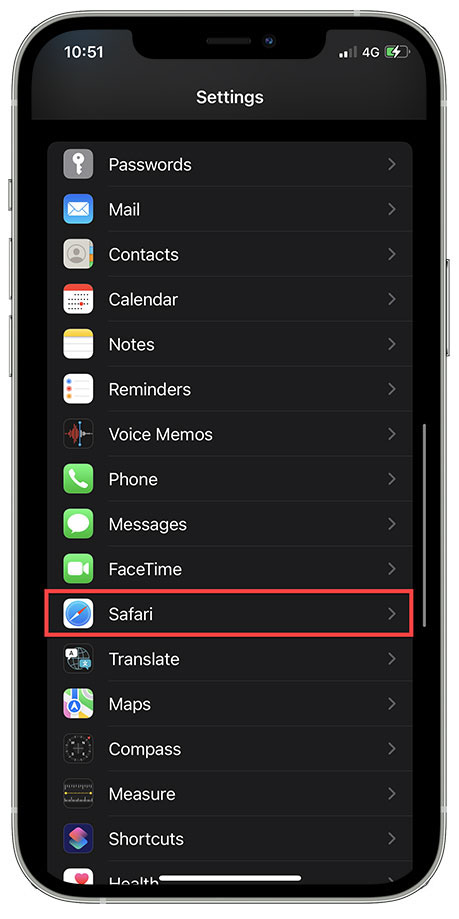
2. Scroll down the Settings Menu to find 'Safari' & Enter
3. Scroll down to Privacy & Security, Prevent Cross-Site Tracking & DISABLE this option.
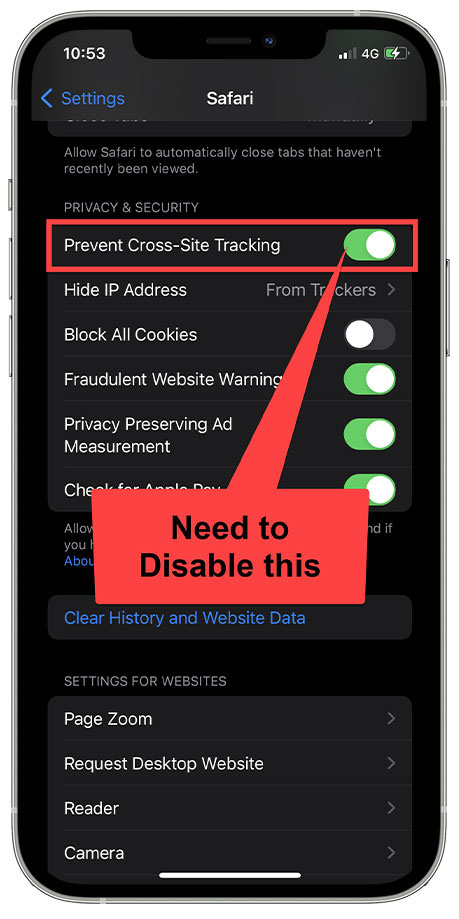
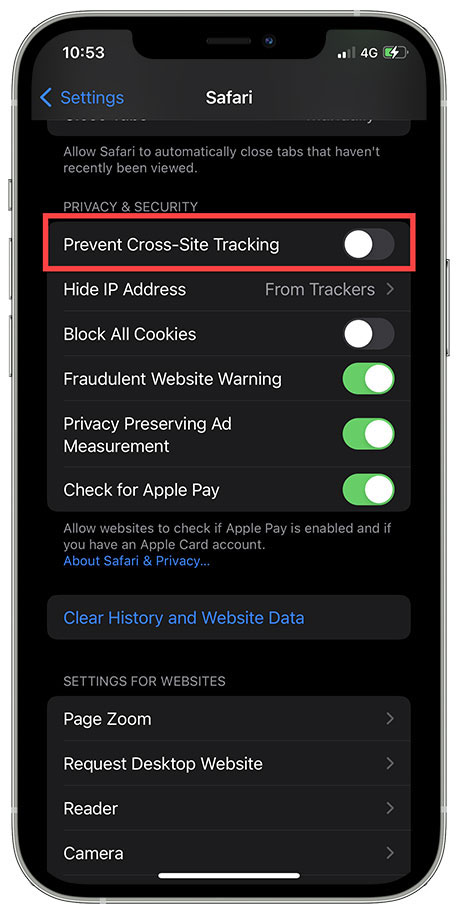
Then Refresh the Page with Error and you should now be able to access.
If you still experience issues, please Contact support@incendi.io with details.
Comments
Article is closed for comments.