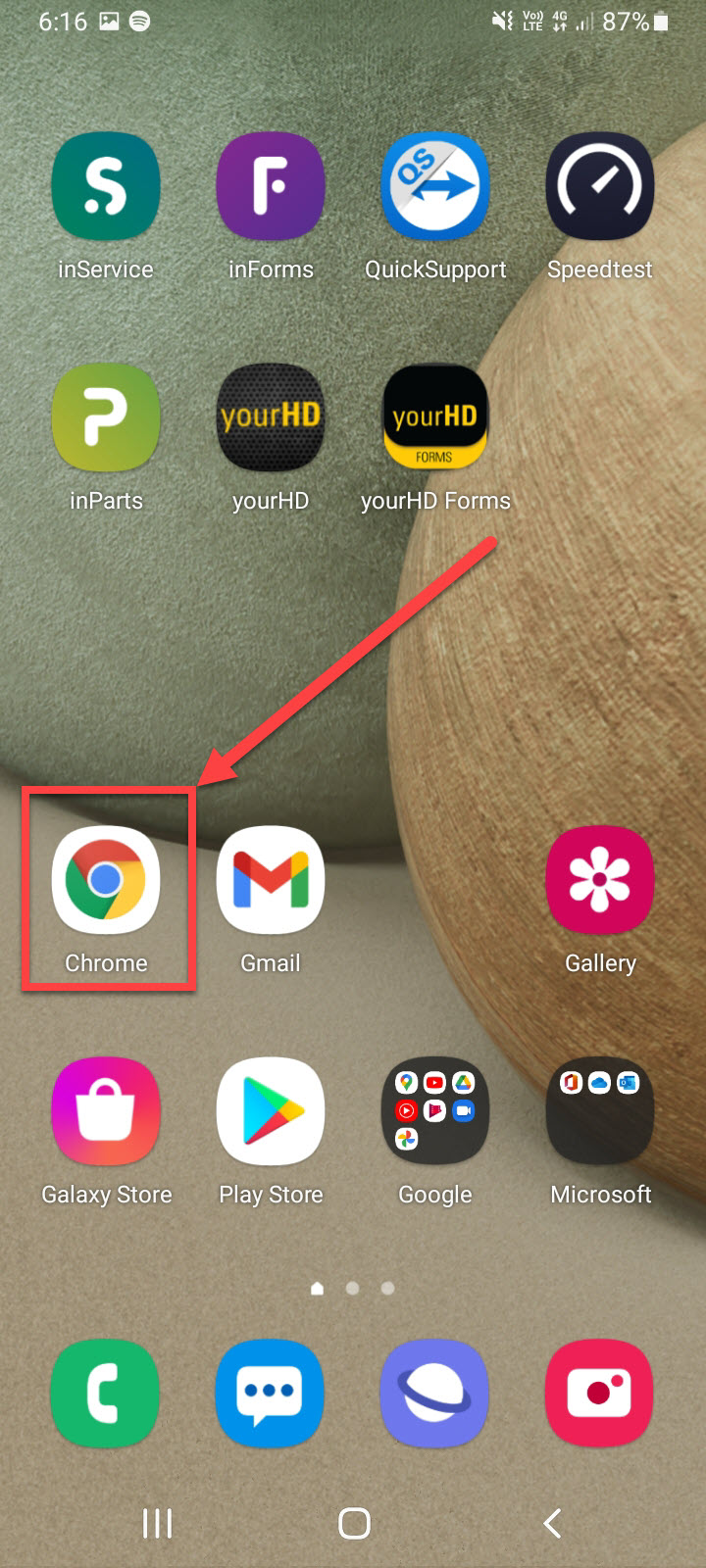
On a Samsung Mobile Android Device, to Disable Auto login to allow App to have credentials entered. Need to Disable in Both Samsung Internet & Google Chrome
Samsung Internet:
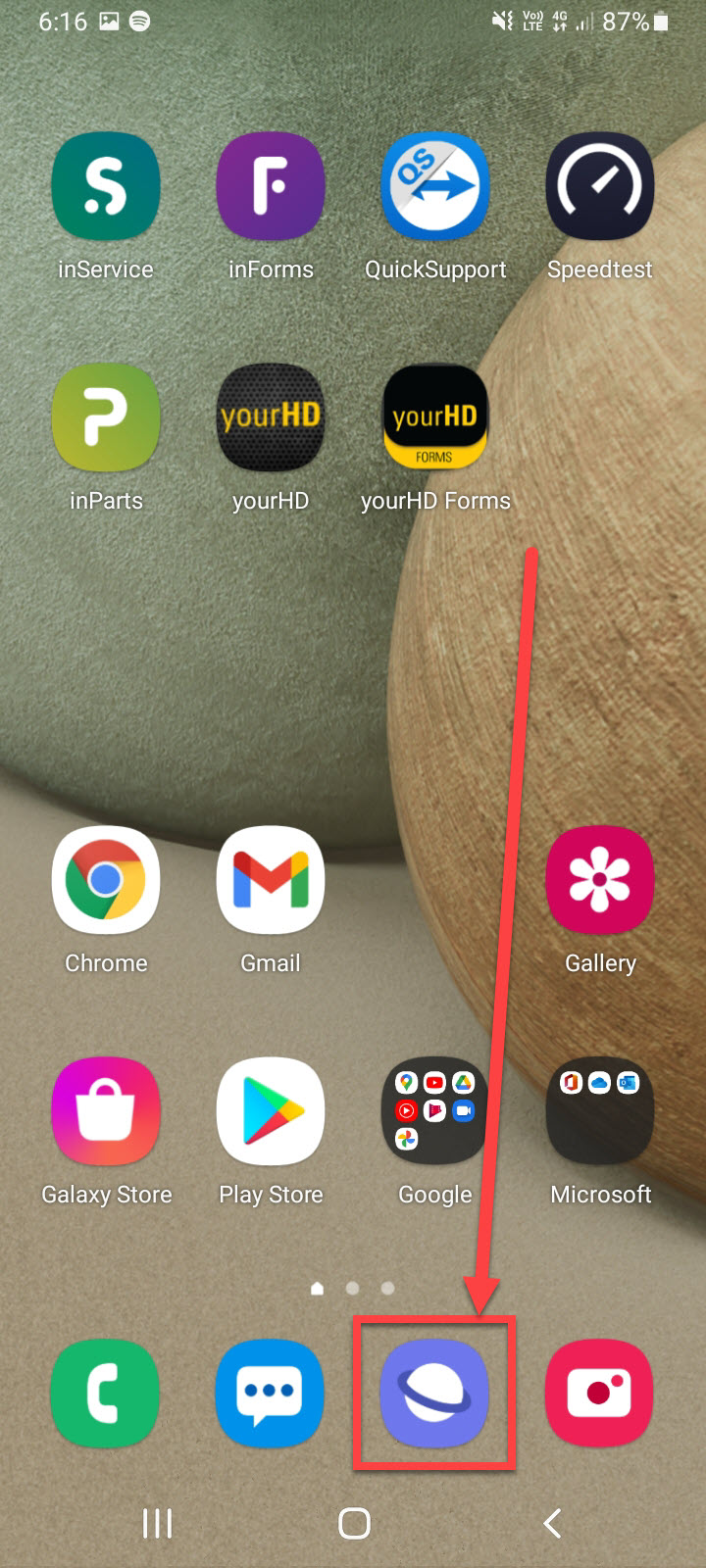
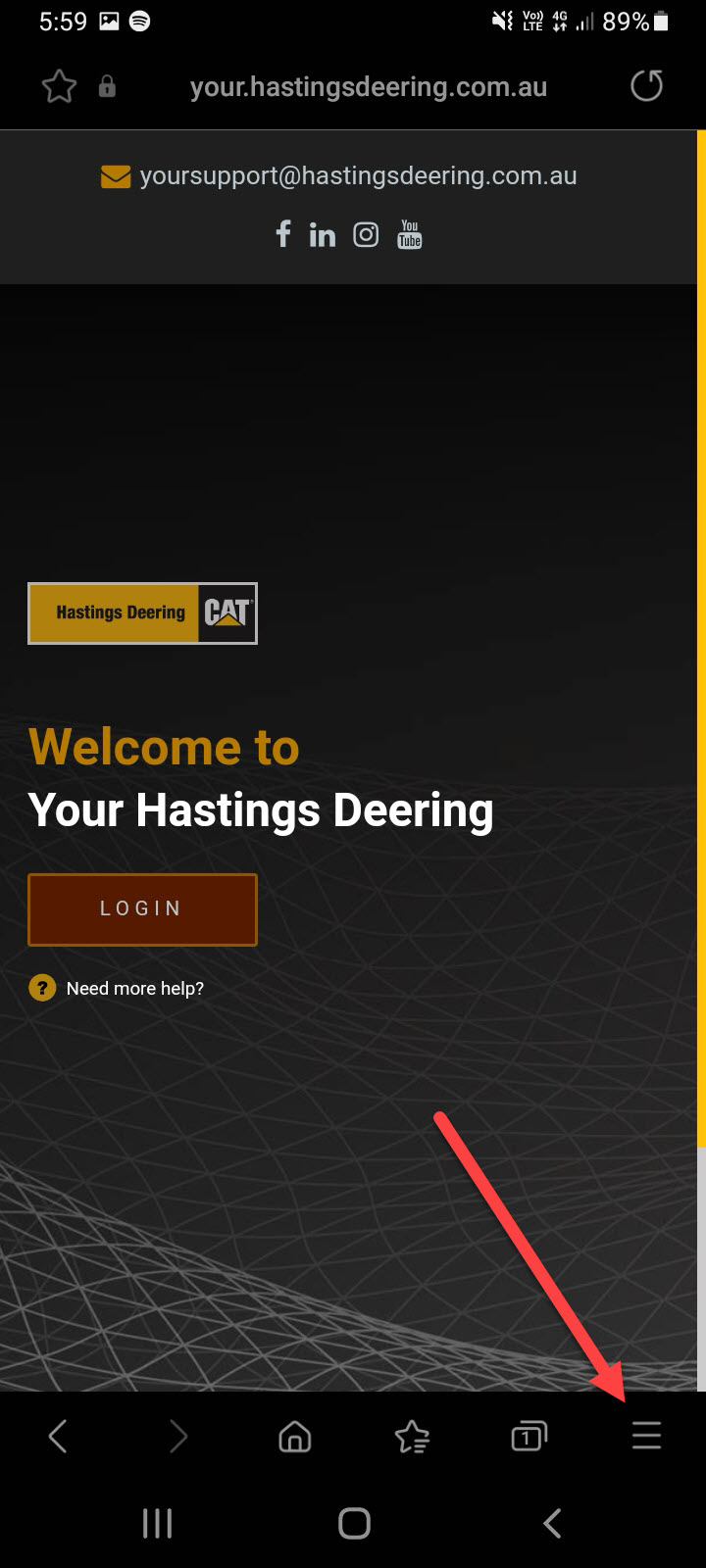
1. Open Samsung Internet & Click on Menu (3 Horizontal lines)
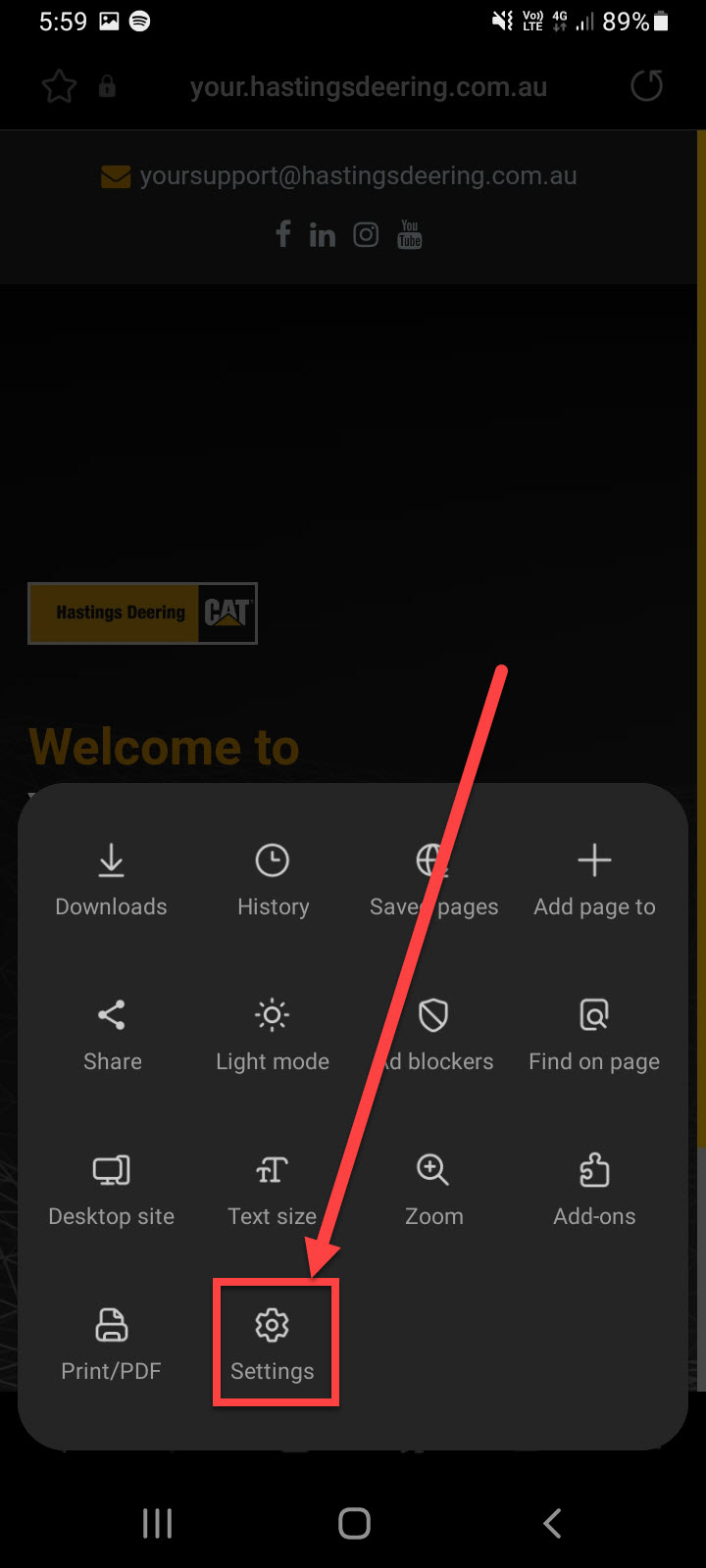
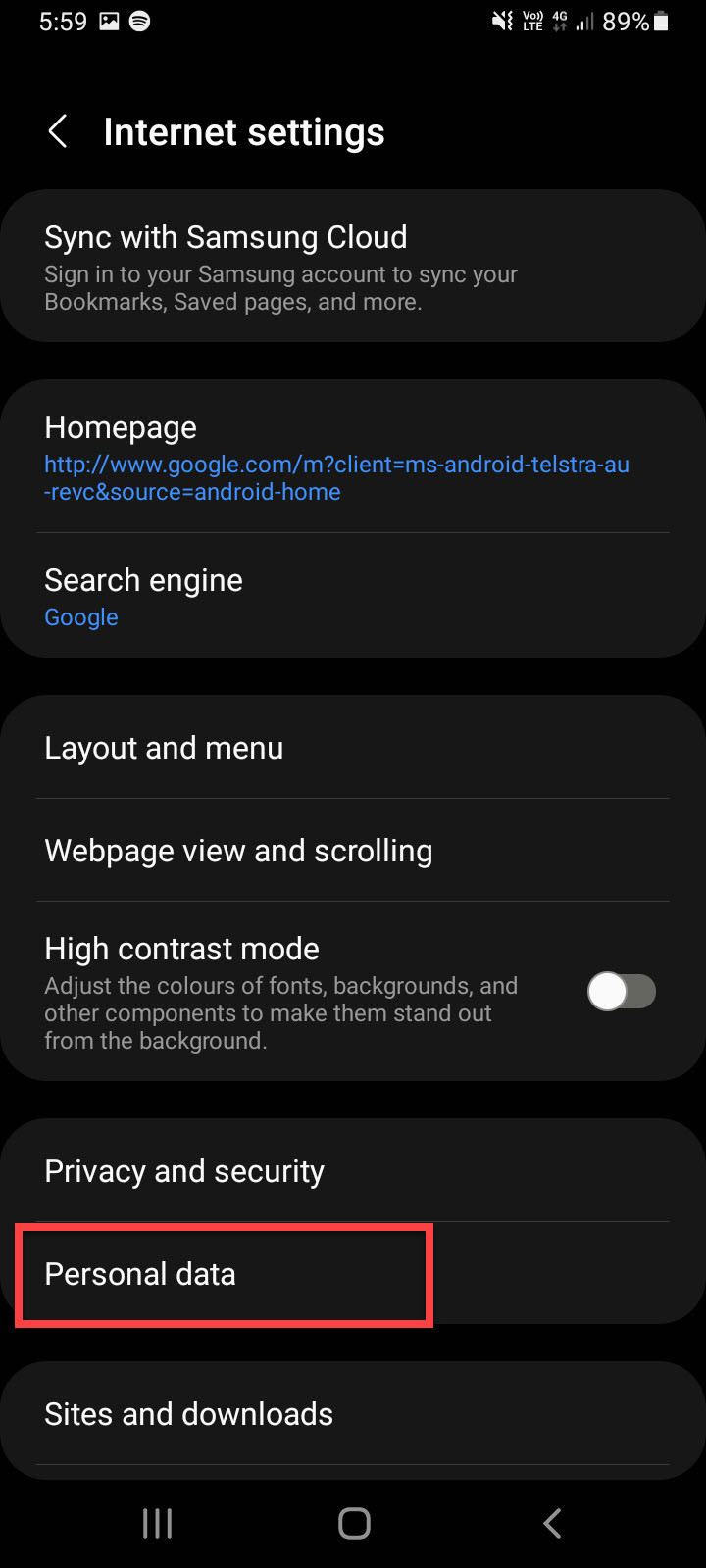
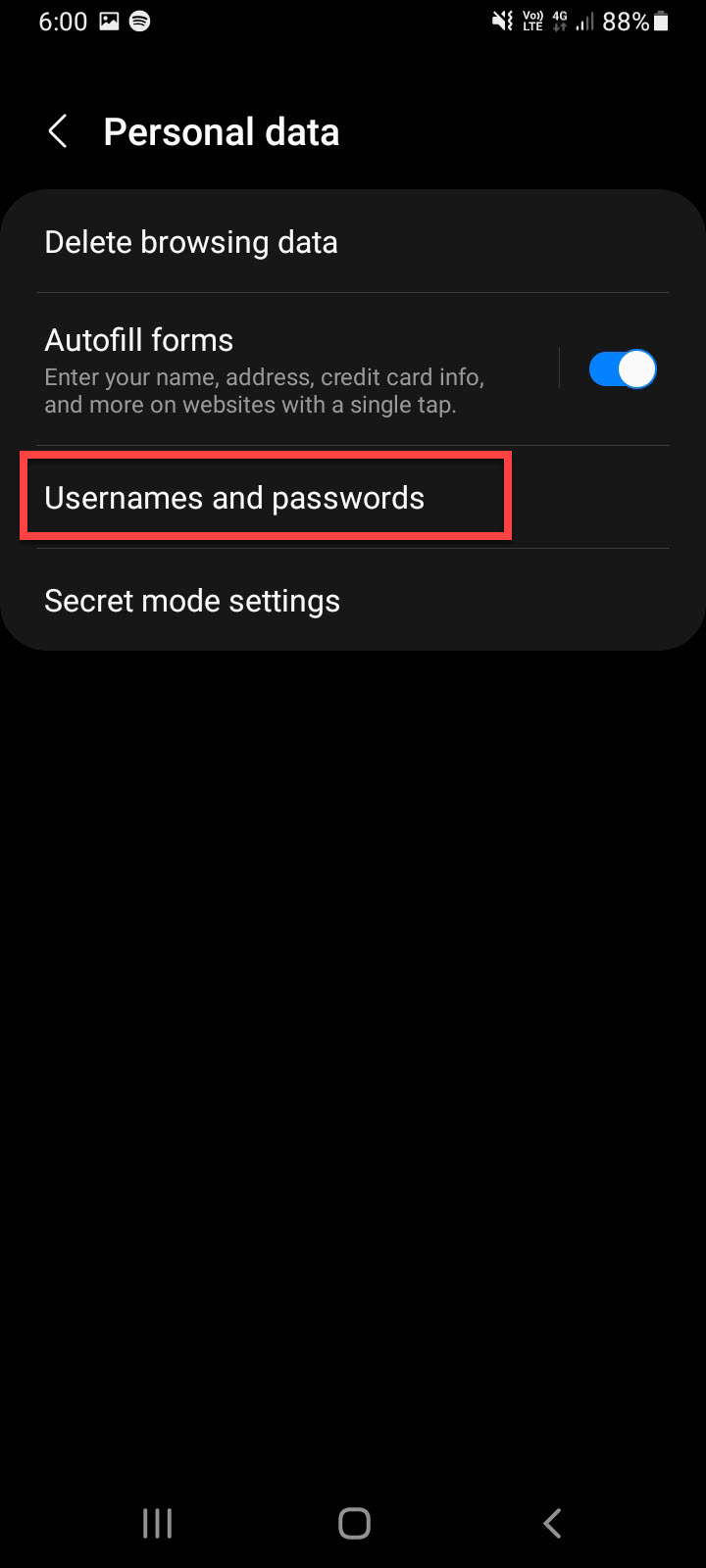
3. Click on Settings & then Personal Data
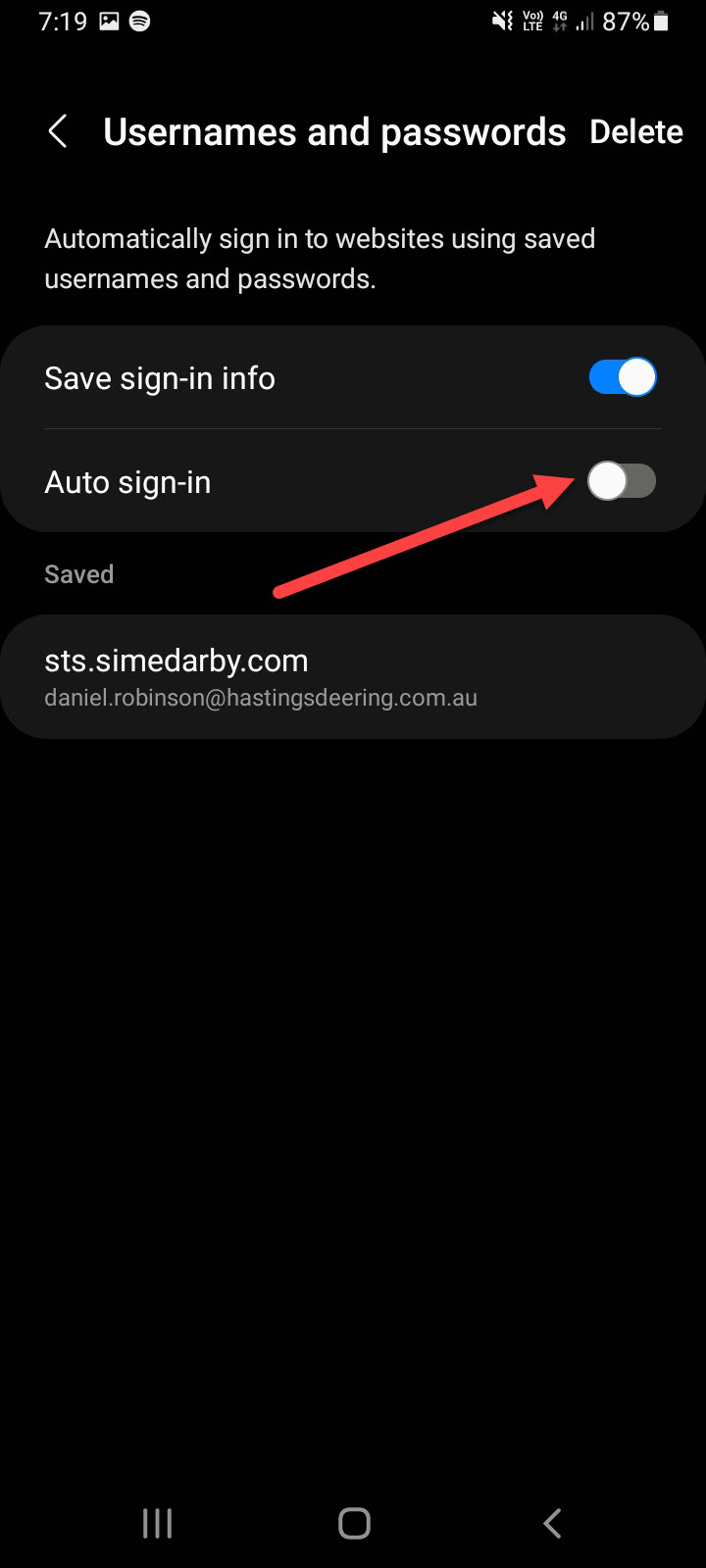
5. Select Usernames & Passwords & Turn Off/DIsable Auto sign-in
Google Chrome:
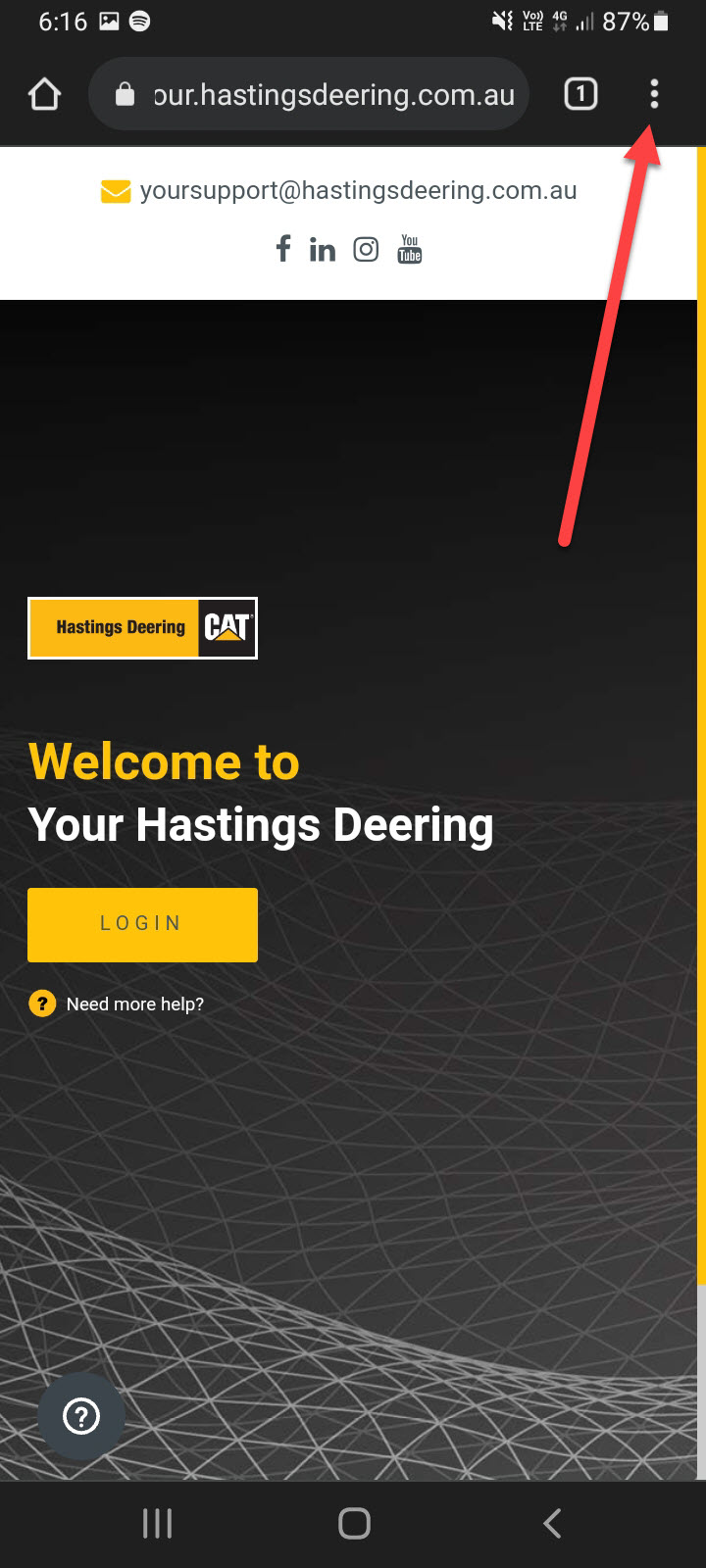
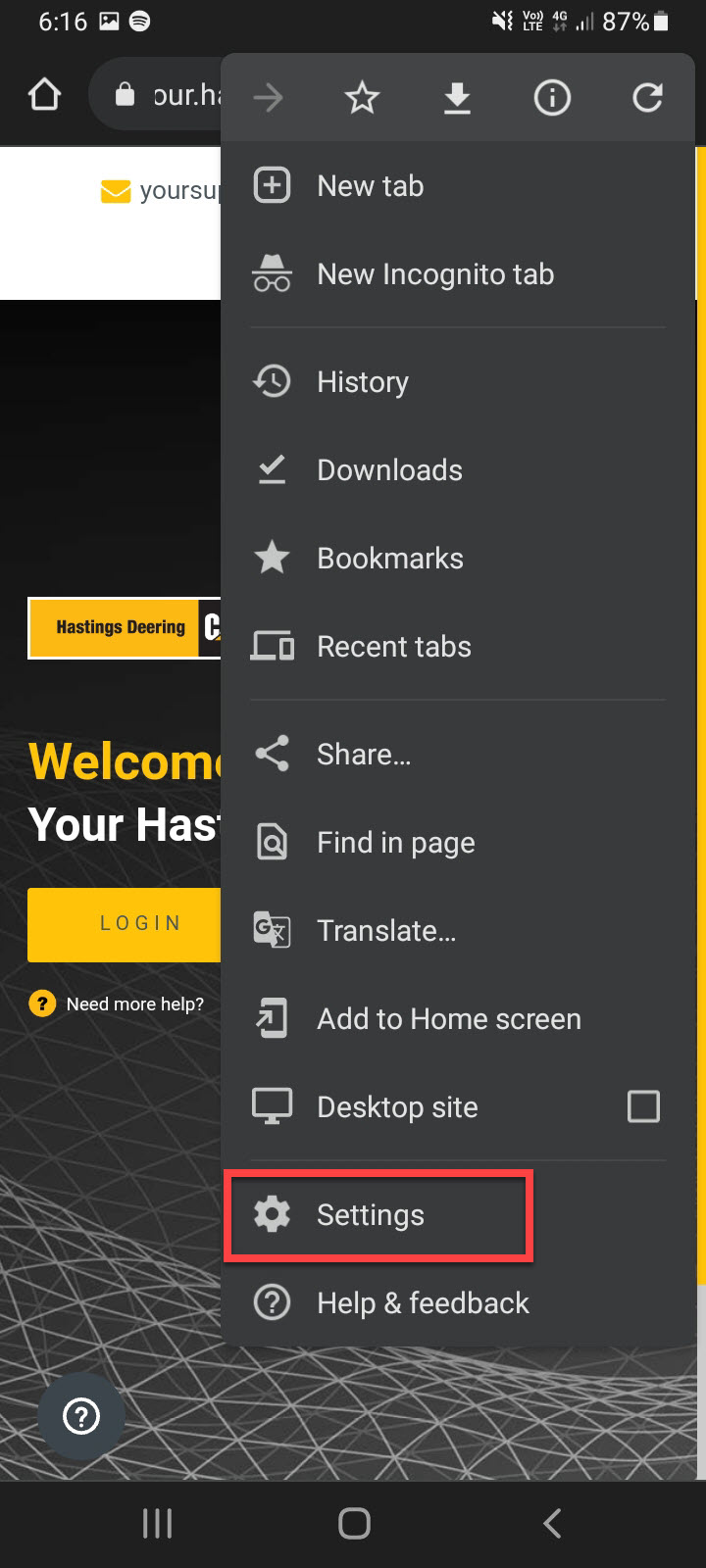
1. Open Google Chrome & Click on the Menu (3 Vertical Dots)
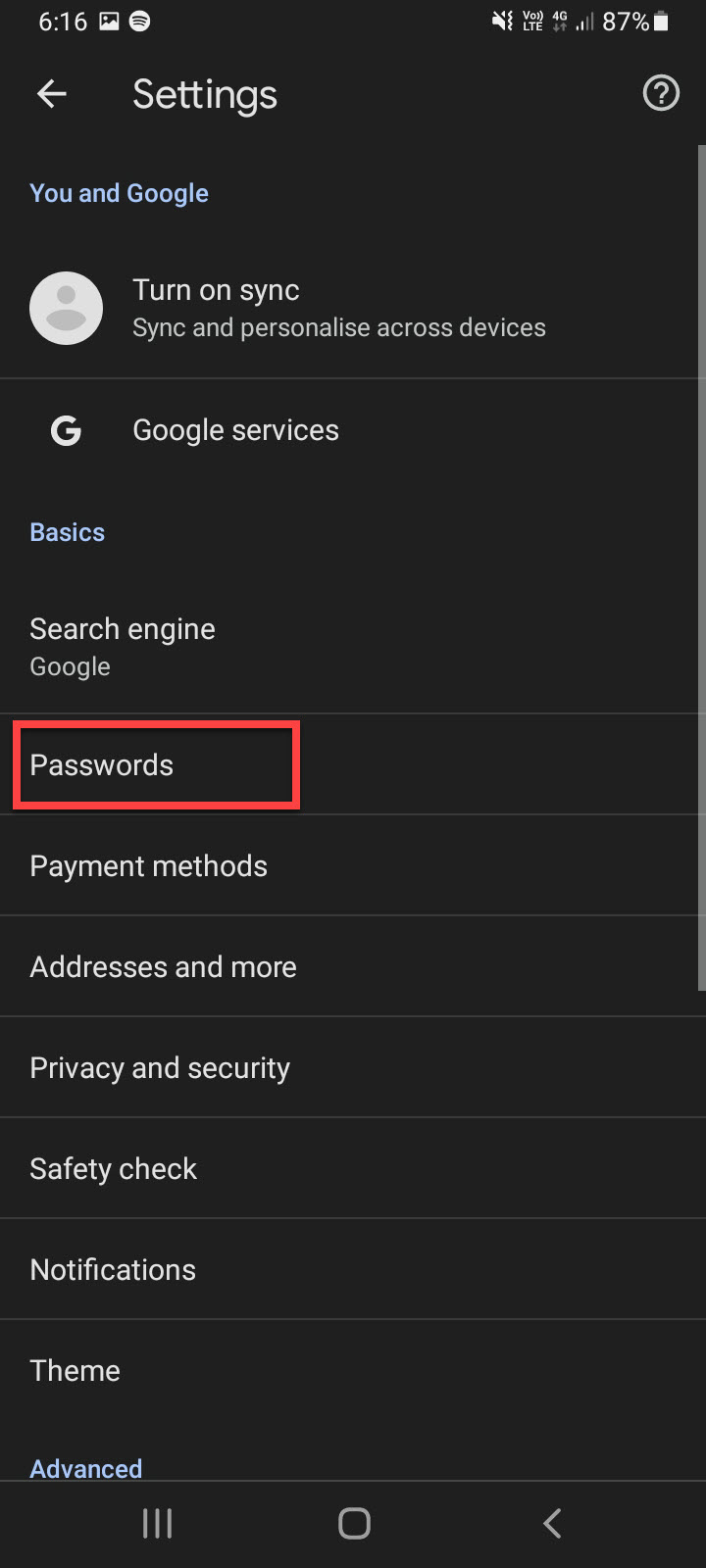
2. Click on Settings then Passwords
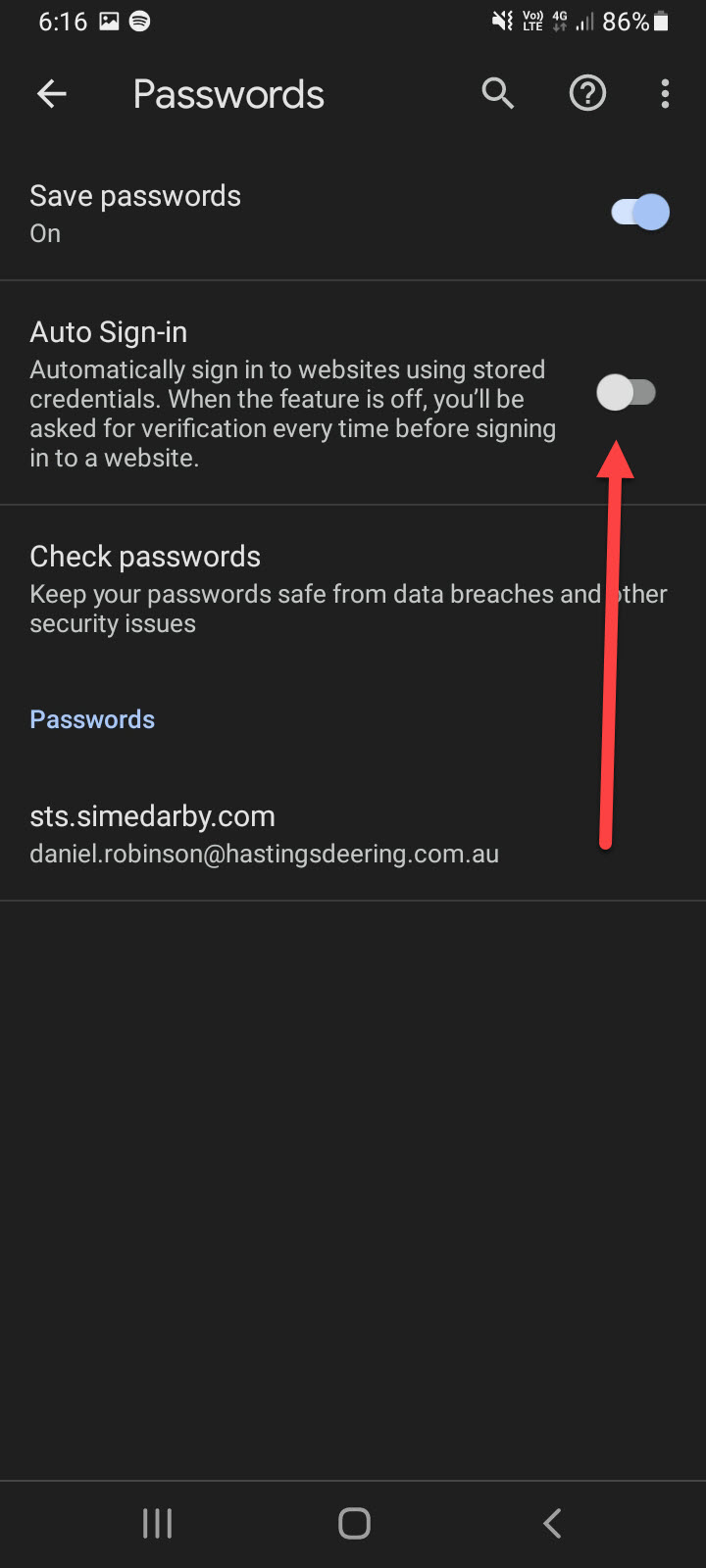
3. Turn Off/Disable Auto Sign-in
Comments
Article is closed for comments.