Clearing the yourHD App Cache & Data
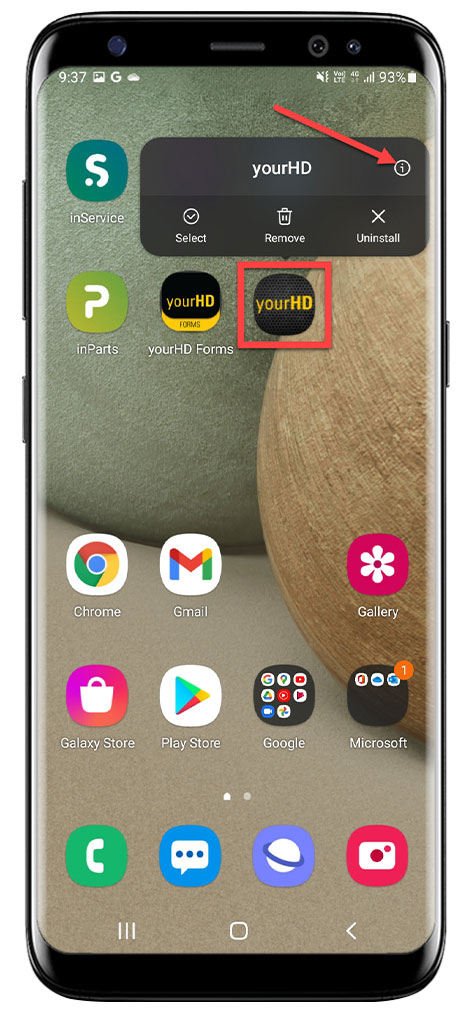
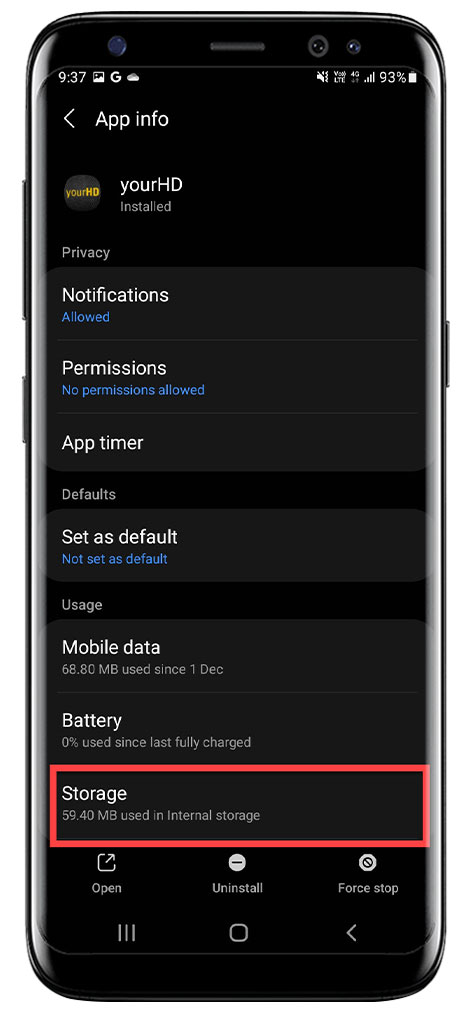
1. Hold down on the yourHD App to bring up the App Menu, then Click on the i, then Scroll down the Menu & Click on Storage
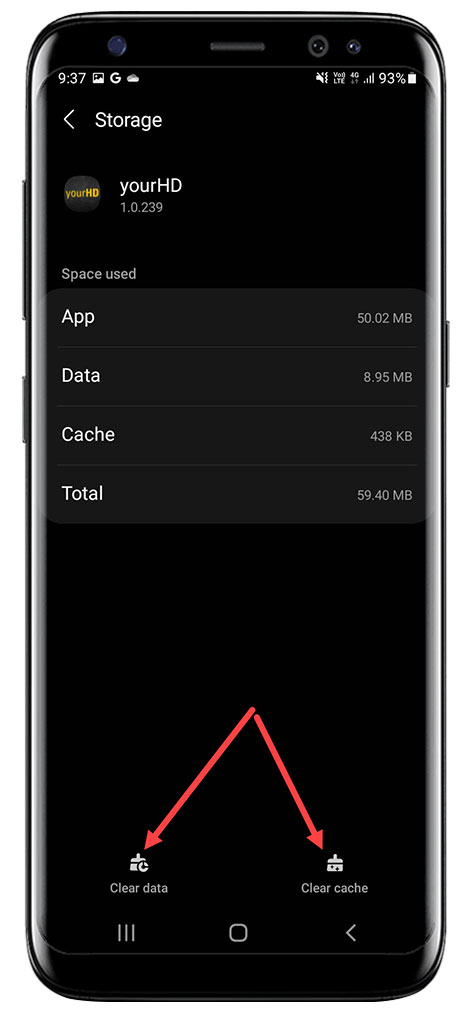
2. Click on Clear Data & Clear Cache
Should you still experience issues after performing these steps please Submit a ticket through the your.hastingsdeering.com.au Portal by clicking on Support, or send to support@incendi.io
Comments
Article is closed for comments.