To find out your Mobile Device's Current OS & System Information.
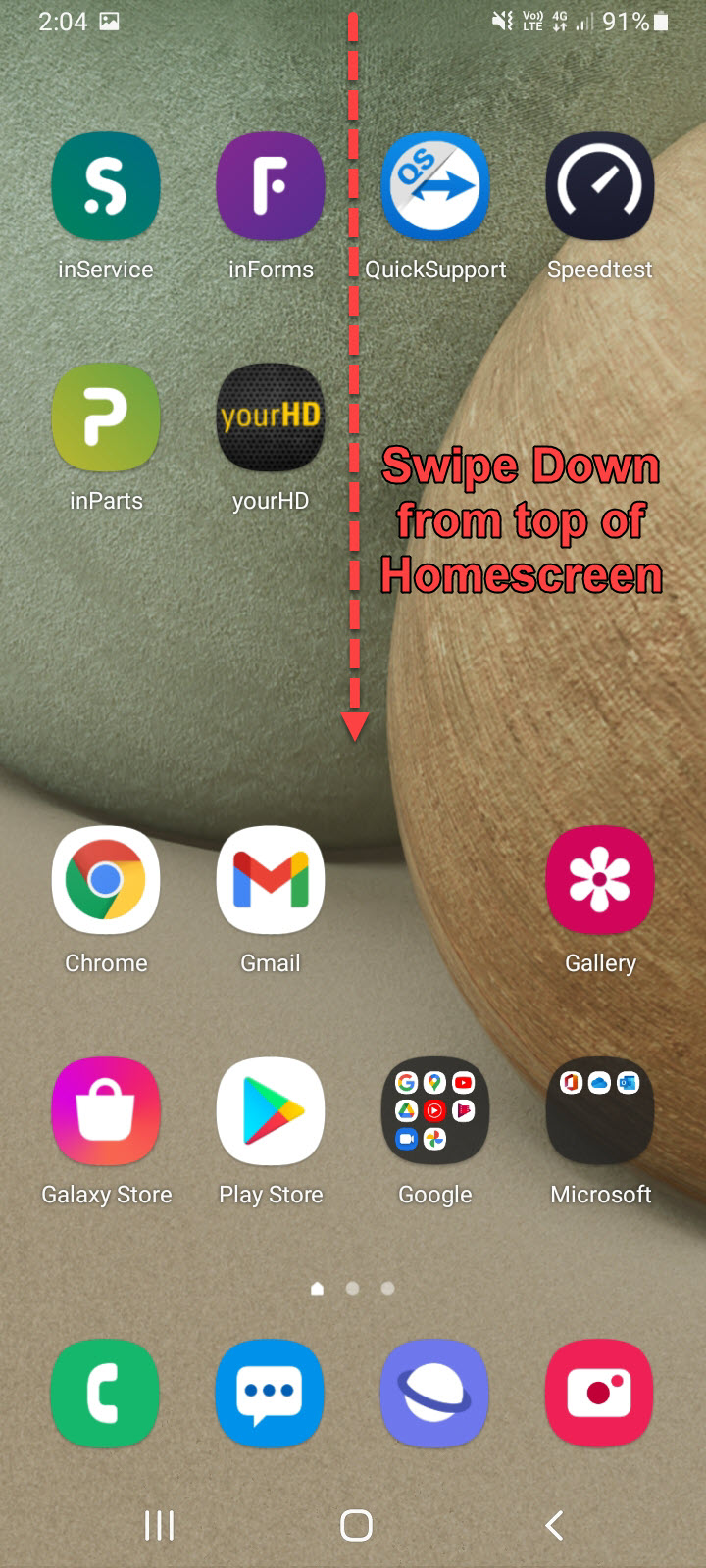
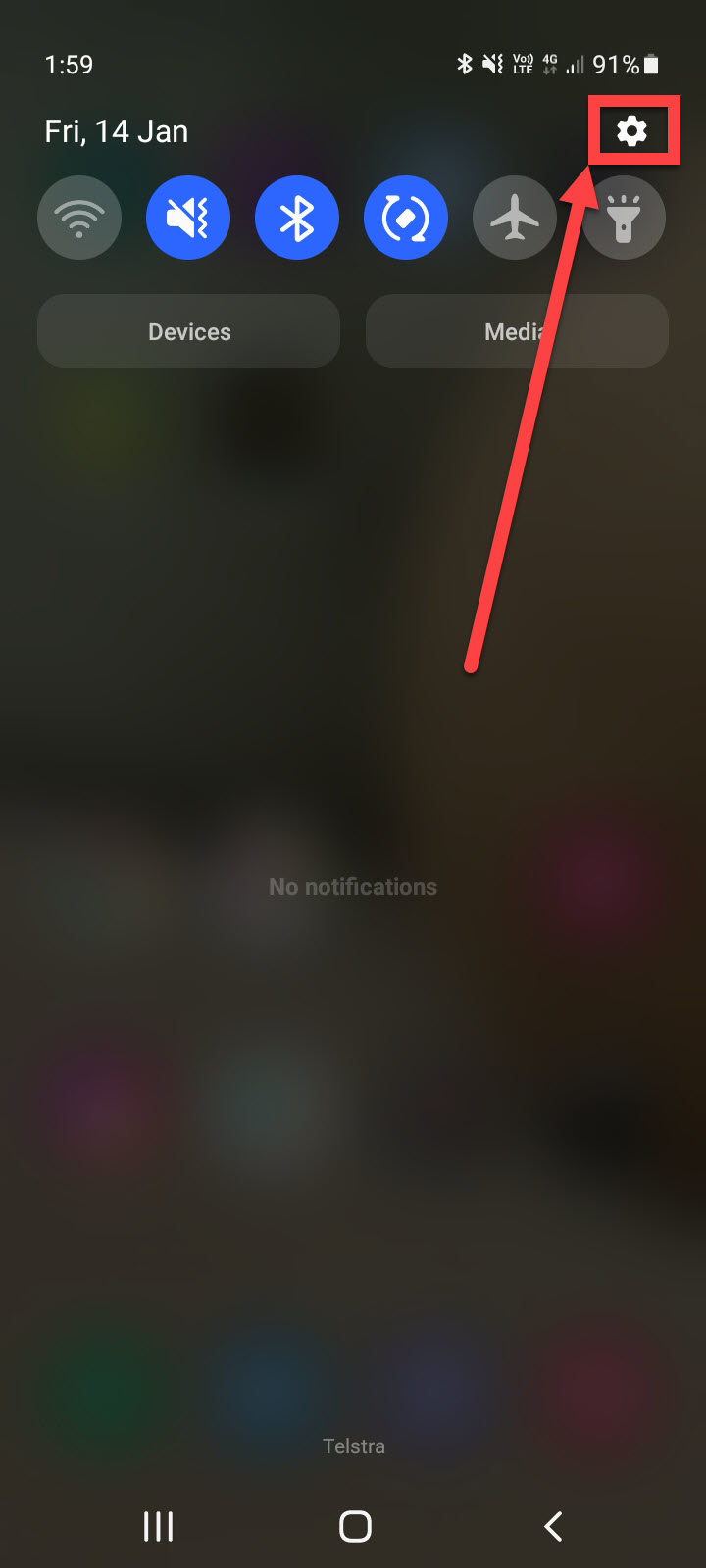
1. Swipe Down from the top of Mobile Device Homescreen & Click on Settings Icon
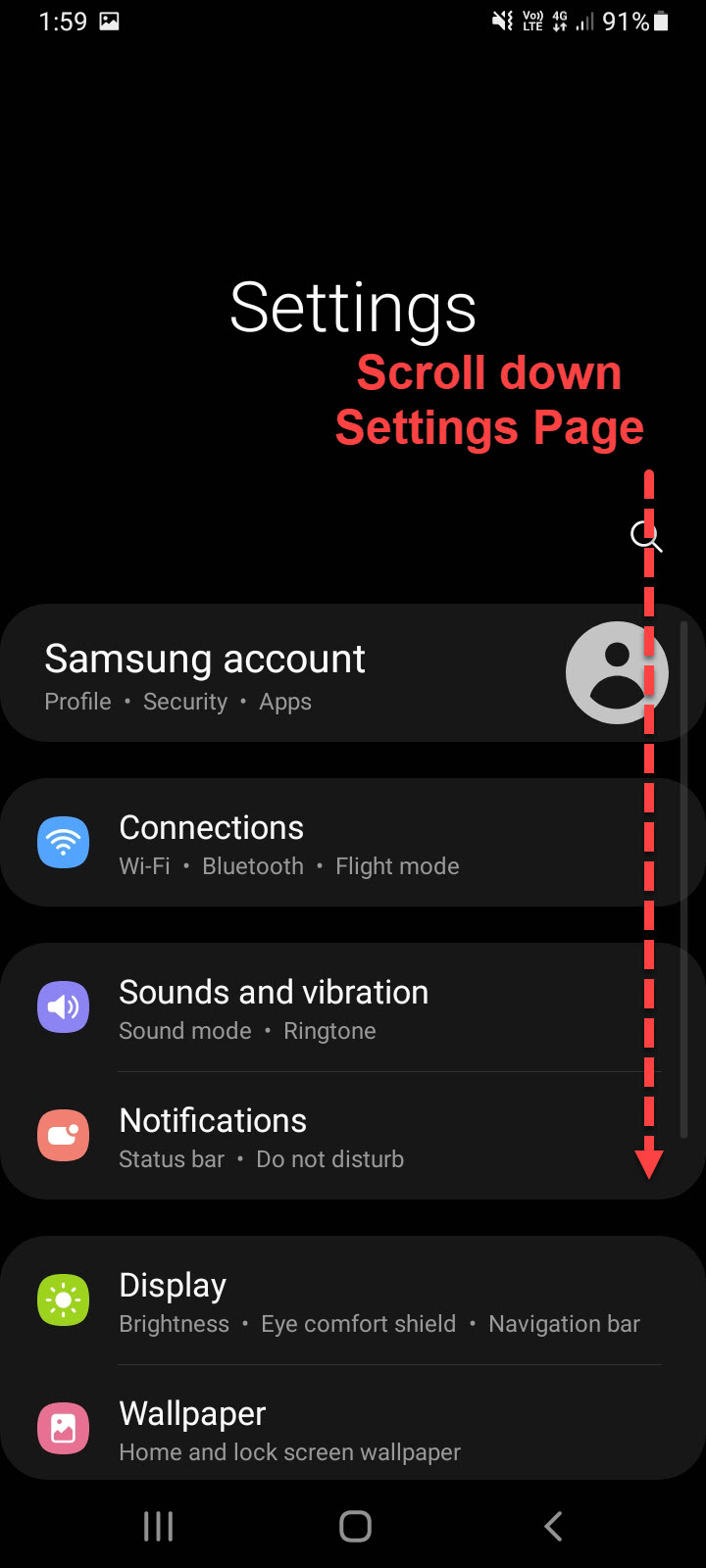
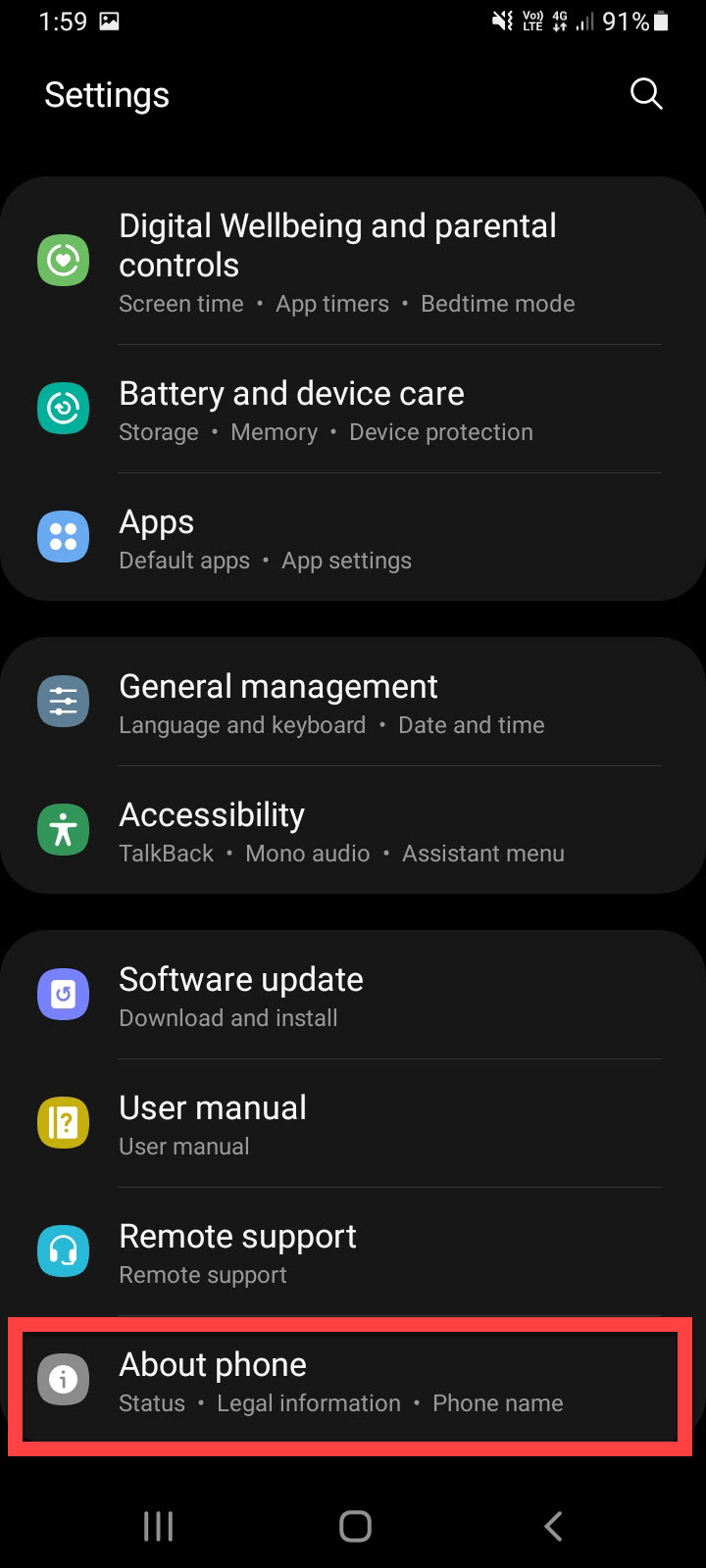
2. In Settings Menu, Scroll down to bottom of Page & Click on About Phone
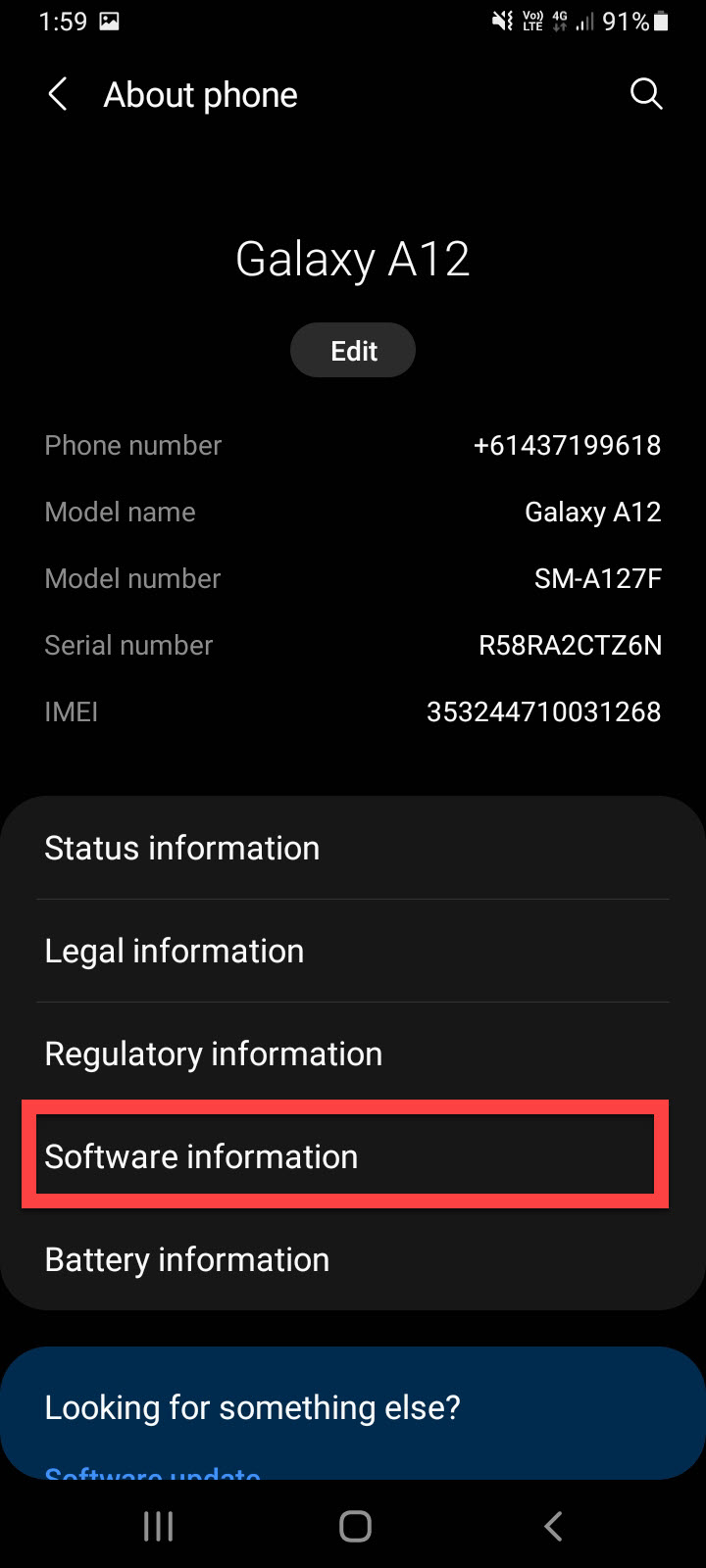
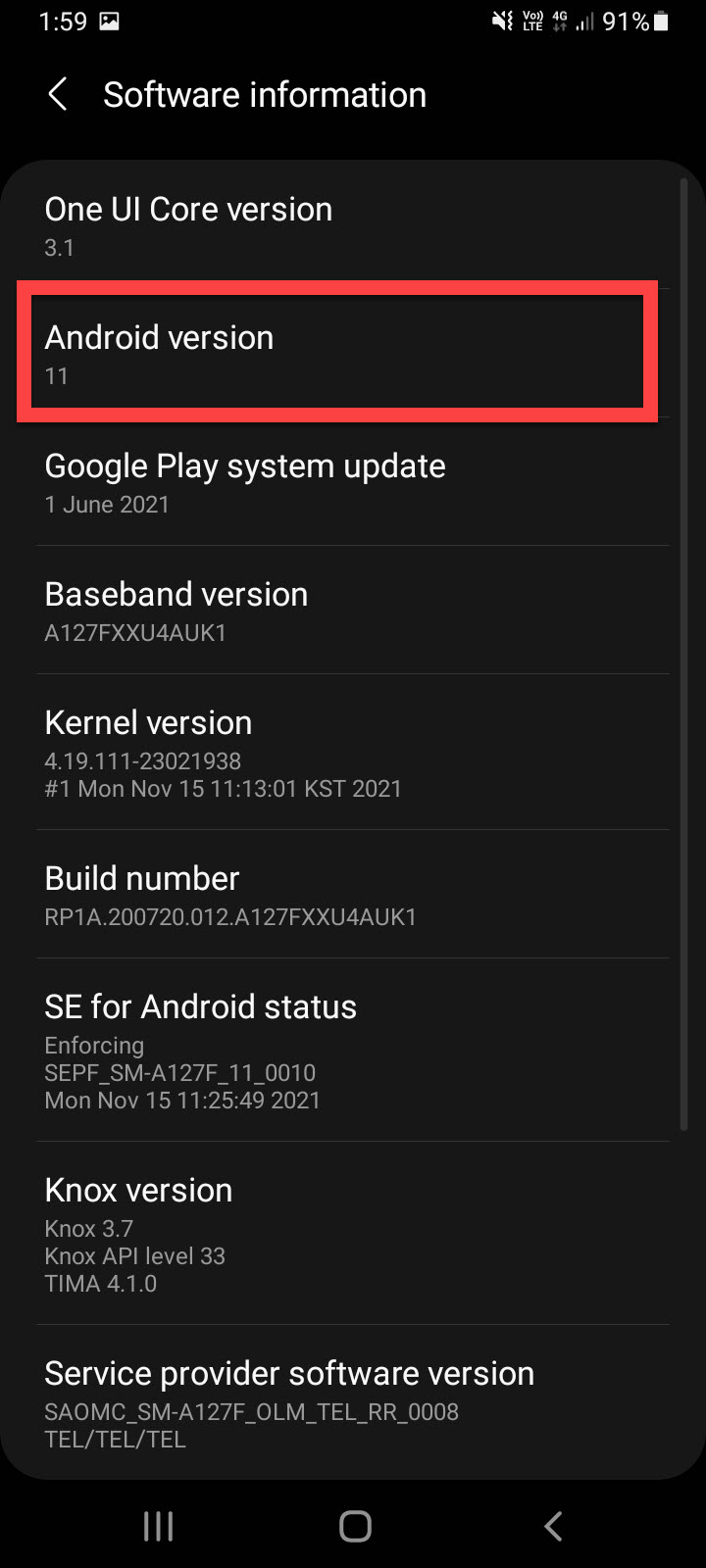
3. Click on Software Information & this page will display Android Version & information about your Device
Comments
Article is closed for comments.