Clearing Cache on Microsoft Edge Internet Browser
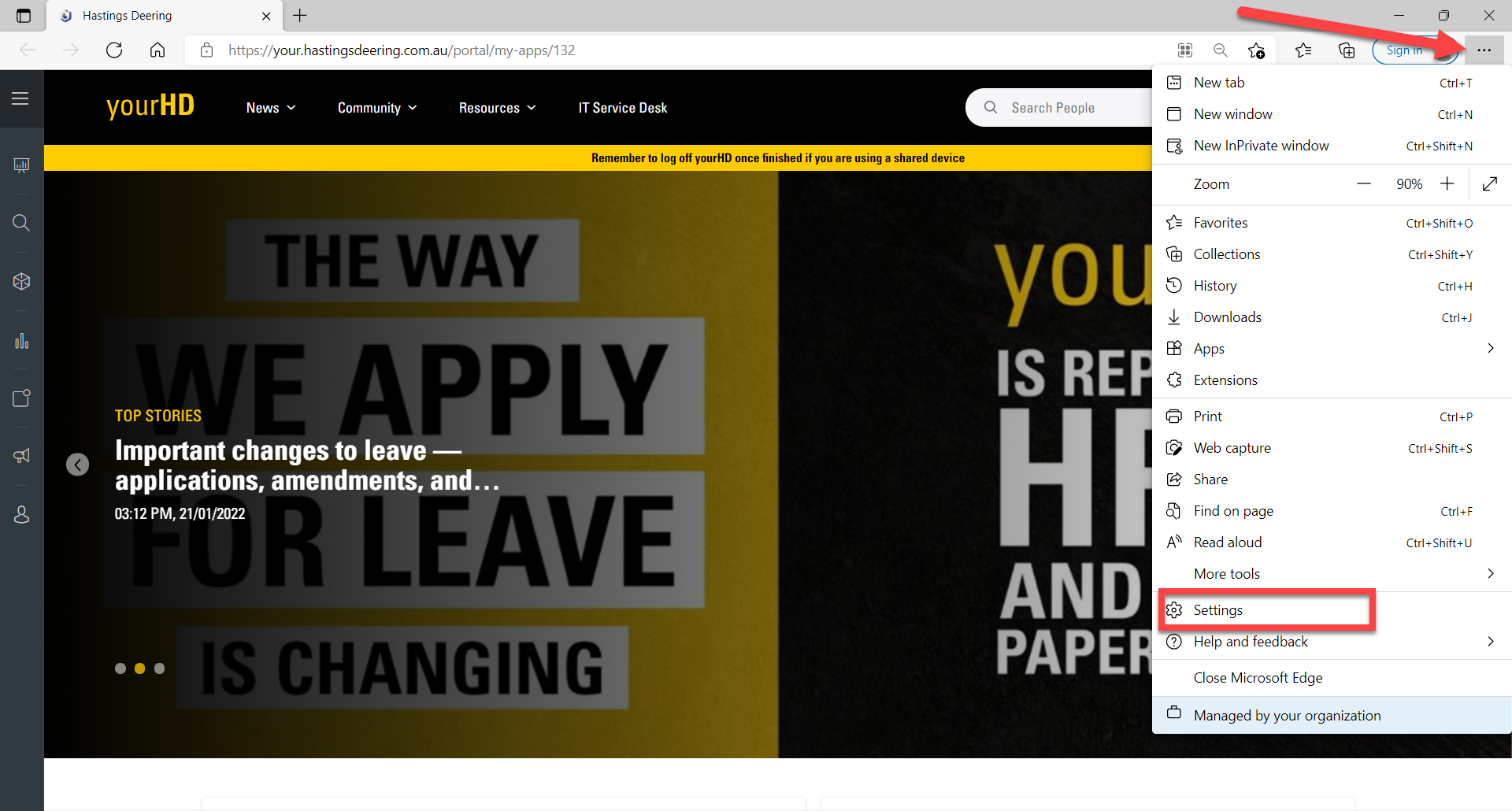
1. In Edge Browser Click on the Menu (3 Horizontal Lines) & Select Settings
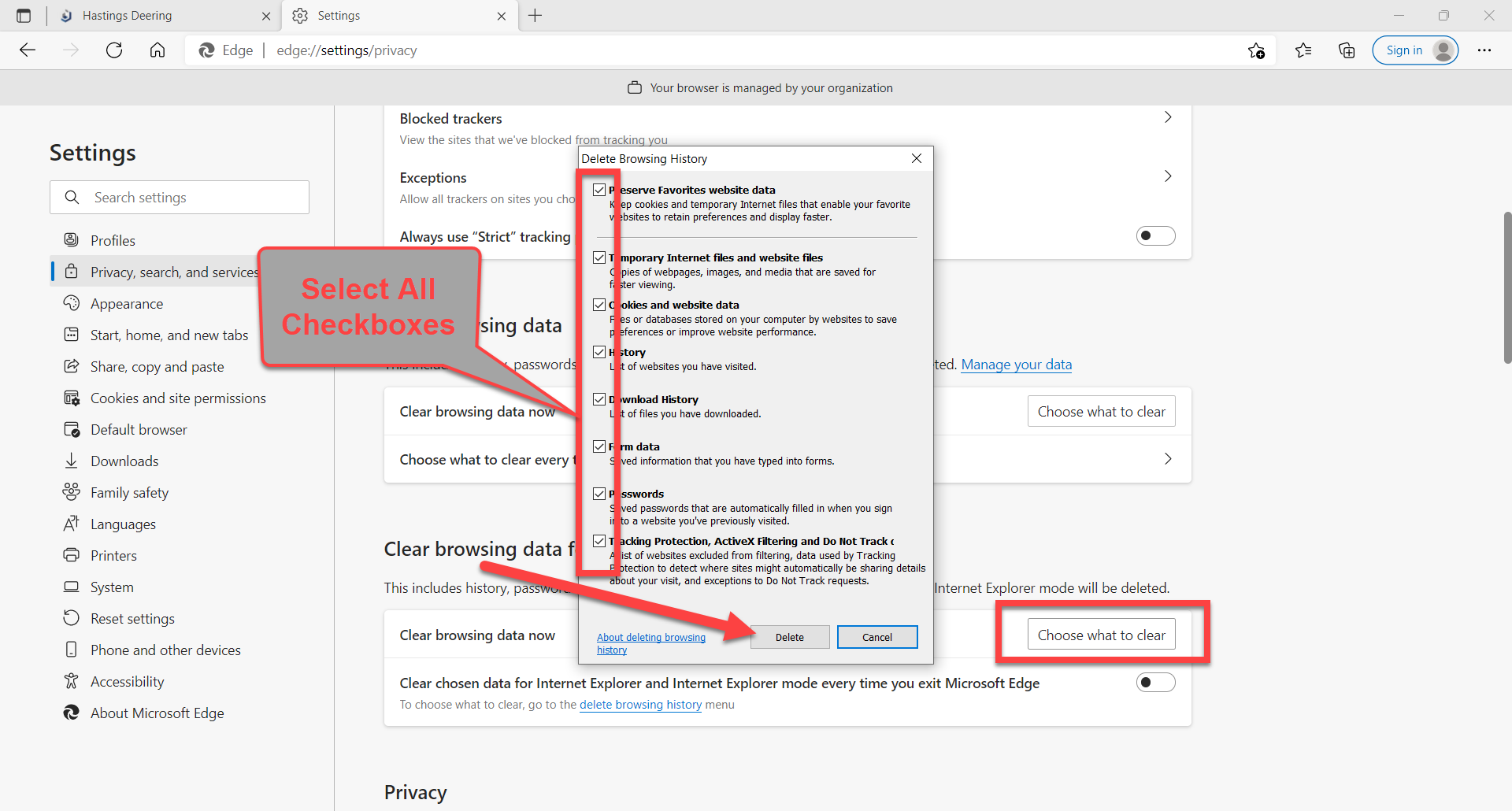
2. On left hand Settings Menu, Select Privacy, search and services. Then scroll down the Page to Clear browsing data Options 
3. Click on the first Choose what to clear box (Microsoft Edge), Scroll through the menu & Tick all Check Boxes then Click on Clear Now

4. Click on the 2nd Choose what to clear box (Internet Explorer), Tick all the Checkboxes then Click Delete
5. Close and Reopen Microsoft Edge Browser

Comments
Article is closed for comments.