Google Chrome Internet Browser Clearing Cache on PC
1. In Chrome Window Click on Menu (3 Vertical Dots) & Select Settings 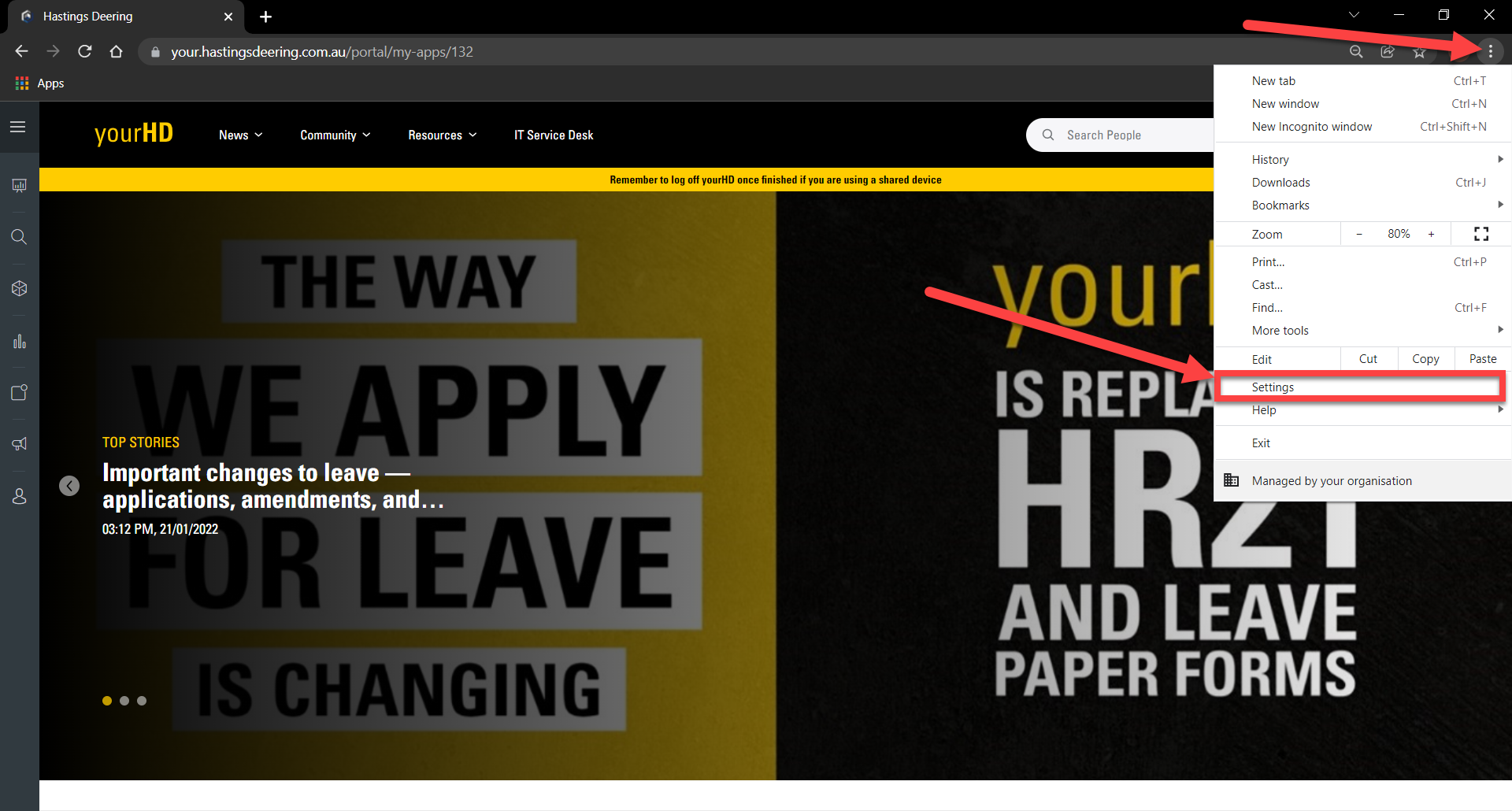
2. Select Security & Privacy then Clear Browsing Data

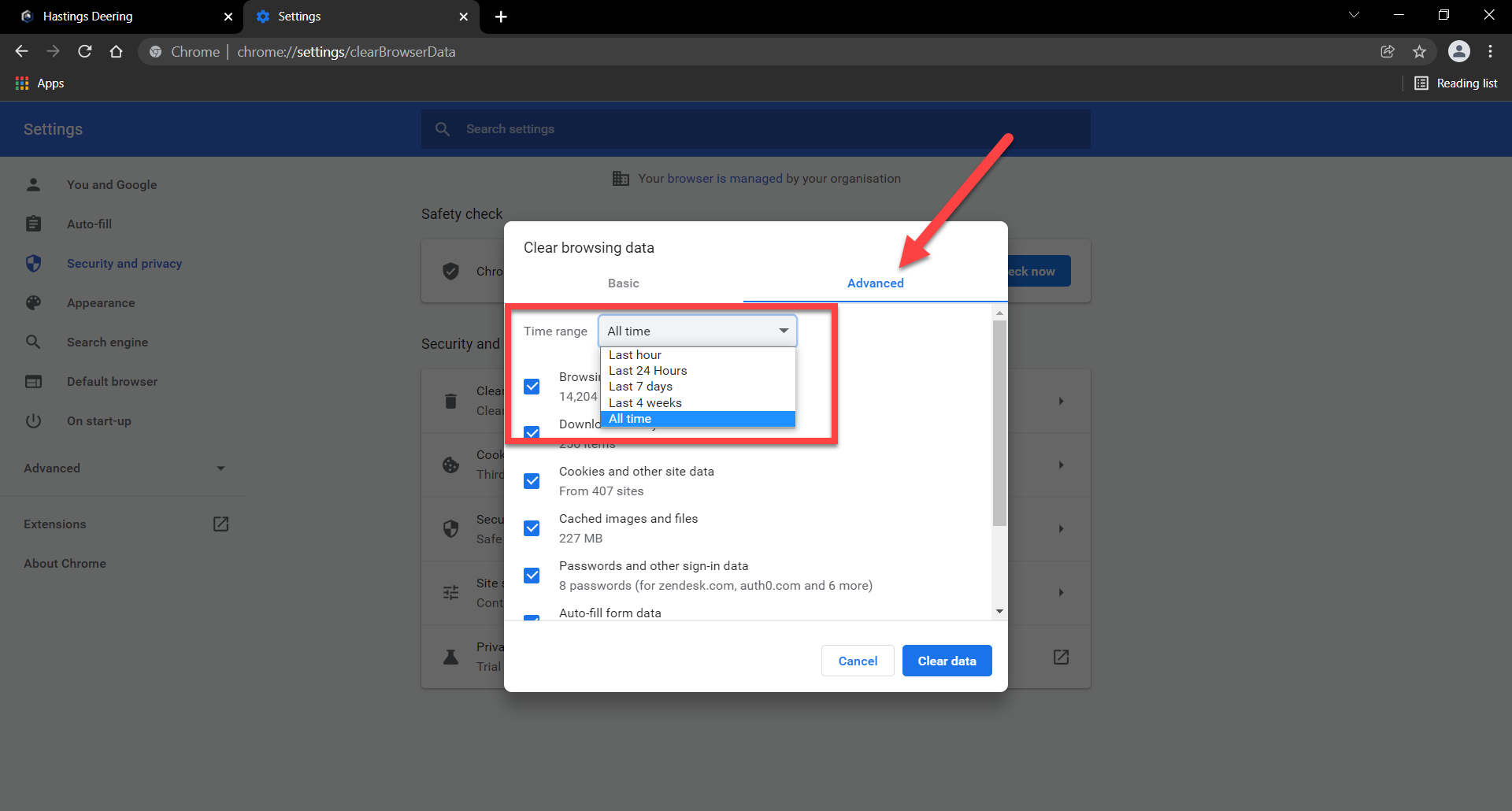
3. Click on Advanced Tab & Change Time Range to All Time
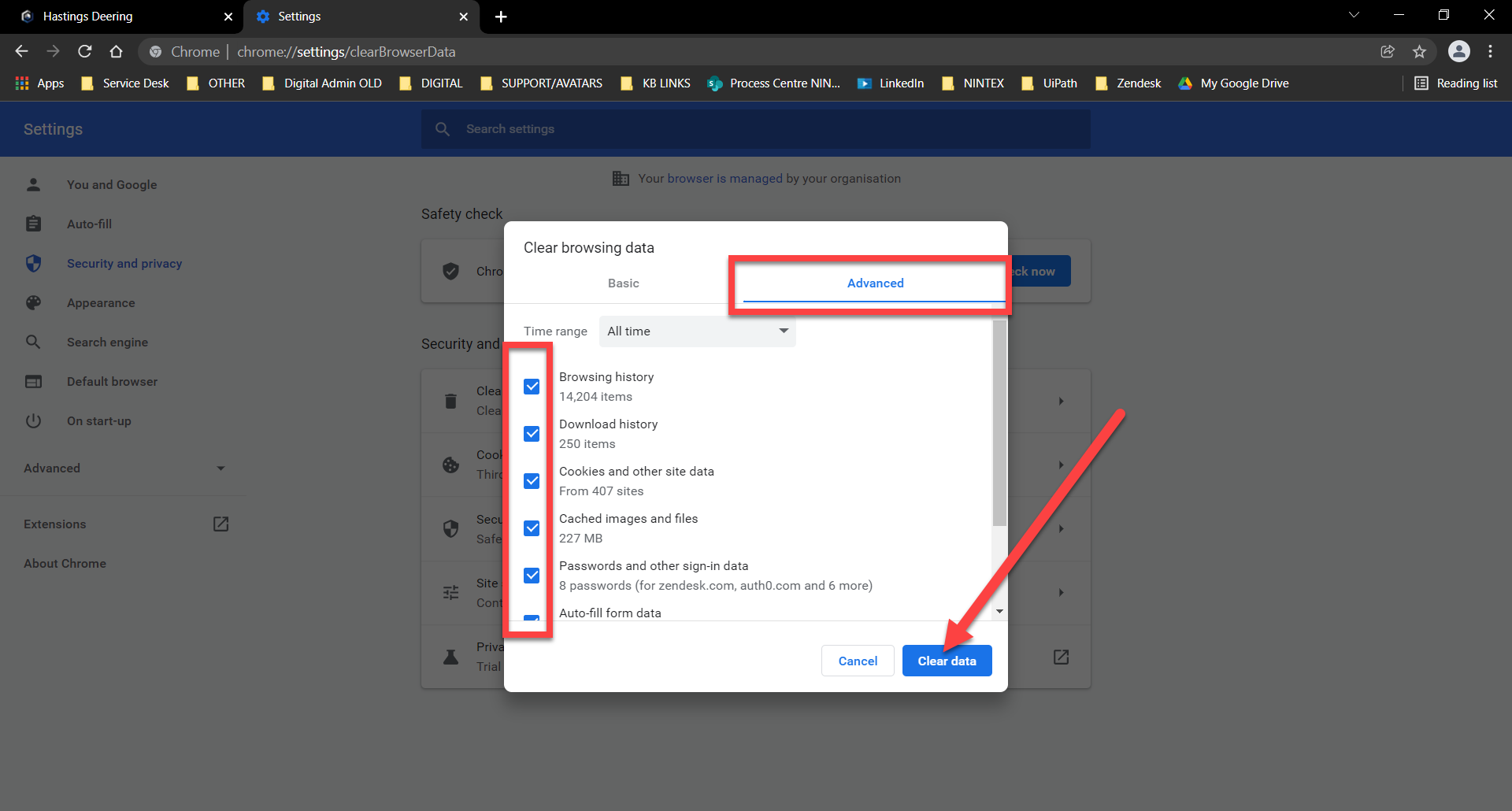
4. Tick all Checkboxes and click on Clear Data
Comments
Article is closed for comments.